
A TechKnow product
Live
Cablyst: The USB-C cable checker for Mac, in plain language
A USB-C cable checker for Mac. The menu-bar app reads your ports and explains each cable's charging power, data speed and display support in plain words.
Visit cablyst.tech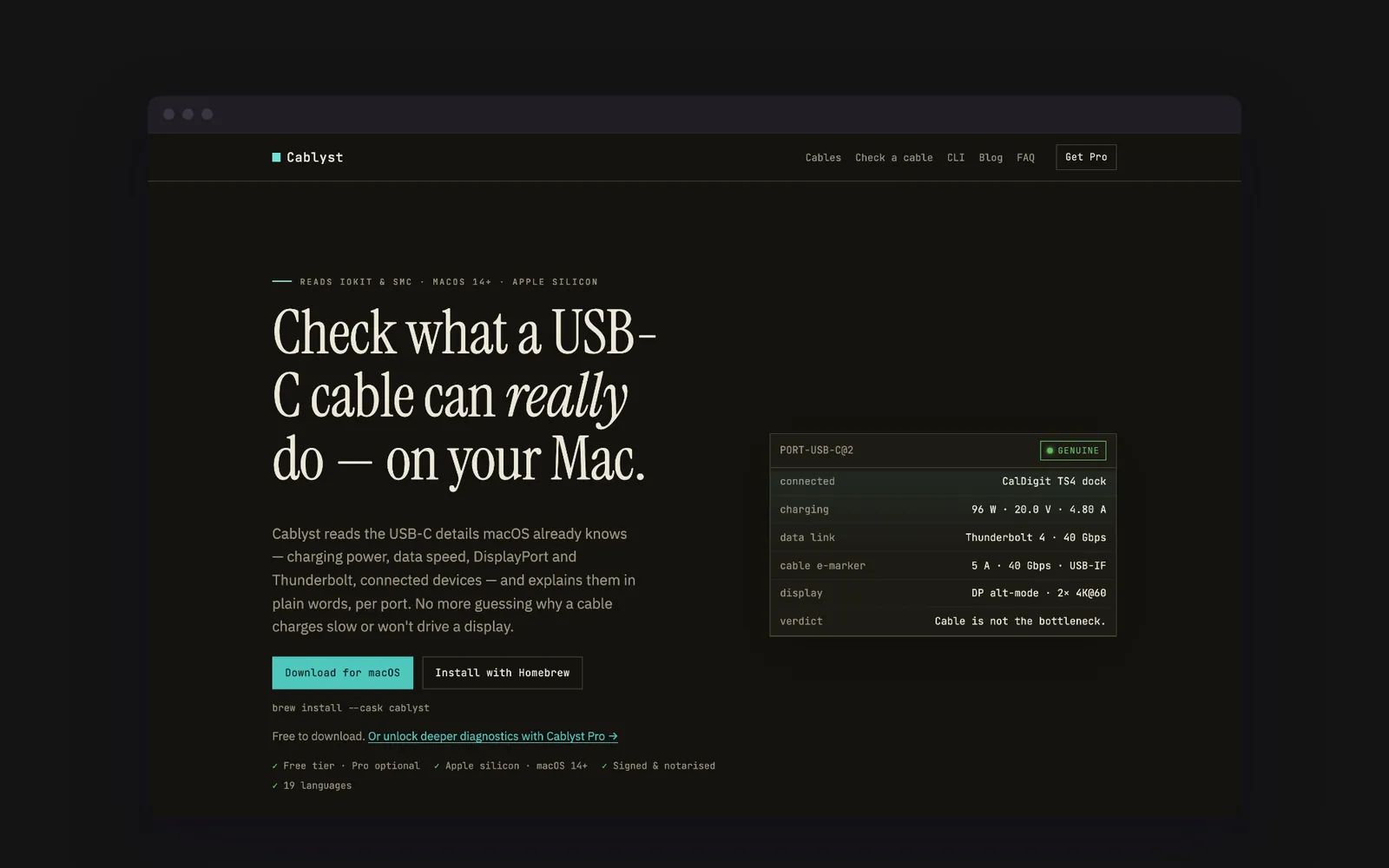
Features
What Cablyst does
Plain-language port readout
For each port: charging power, data speed, DisplayPort and Thunderbolt support, the cable e-marker and what is connected, explained in plain words.
Power Monitor (Pro)
Live watts, volts and amps per port, with charts and history across the last hour, day or week.
Authenticity Check (Pro)
A scored red-flag analysis that helps spot likely counterfeit cables and chargers, from USB-IF vendor registration to capability contradictions.
PD Contract Inspector (Pro)
The negotiated USB Power Delivery contract and every power profile the charger offers, port by port.
Display Diagnostics (Pro)
Current versus maximum resolution and refresh rate, and the DisplayPort link carrying the signal.
Command-line tool
The same readings in your terminal as text or JSON, with a live watch mode for scripts and monitoring.
About
- Who it is for
- Apple silicon Mac users who need to know what a USB-C cable, dock or charger can really do
- Pricing
- The base app is free; Cablyst Pro is a one-time $9.99 for lifetime use on up to two Macs.
- Built with
- SwiftSwiftUIIOKit and SMCWidgetKitSQLite
The problem it solves
Cablyst is a USB-C cable checker for Mac. It reads what macOS already knows about each port and explains it in plain words. You find out whether the cable, the dock or the device is the bottleneck.
USB-C cables look identical. One charges a laptop at full speed and the next barely runs a keyboard. One drives a 4K display and another carries no video at all. The plug tells you nothing.
That matters when you buy cables online, run two docks, or need to know if a new dock runs at full speed.
How it works
Cablyst runs in the menu bar on Apple silicon Macs with macOS 14 or later. It reads low-level IOKit and SMC data. For each port, it shows the charging power, data speed, DisplayPort and Thunderbolt capability, the USB Power Delivery contract and the connected device.
The base app is free. Cablyst Pro adds deeper diagnostics. They include a live power monitor with history, display diagnostics, a PD contract inspector, negotiation diagnostics, cable history and a counterfeit red-flag check. Some Pro features need a MacBook's battery controller, and the app says so plainly on desktop Macs.
Cablyst ships signed and notarized, outside the Mac App Store, because the App Sandbox blocks the hardware reads it depends on. A command-line tool prints the same readings as text or JSON. The app is available in 19 languages.
Why we built it
Cablyst is built on the open-source whatcable project, which is MIT-licensed. We rebuilt it under our own name and added the Pro diagnostics as a clean-room build on Apple's public APIs.
It is a native Swift and SwiftUI app with a widget, a local SQLite history and offline license keys. That is the same native, close-to-the-hardware work we take on in custom software development. Download it at cablyst.tech, or try the free counterfeit cable checker in your browser first.
FAQ
Cablyst questions
1Which Macs does Cablyst support?
Apple silicon Macs (M1 or later) running macOS 14 Sonoma or later. Some Pro features rely on a MacBook battery controller and show a clear "not available on this Mac" state on desktops.
2How much is Cablyst Pro?
The base app is free to download. Cablyst Pro is a one-time $9.99 with lifetime access on up to two Macs.
3Can Cablyst tell if a USB-C cable is fake?
Cablyst Pro's Authenticity Check scores red flags, such as a vendor ID missing from USB-IF's published list or a capability contradiction. The score is a confidence guide, not proof, because USB-C has no universal anti-counterfeit signature.
Send a message
Questions about Cablyst?
A short brief is enough. Someone who can answer technical questions replies within one business day. Prefer to talk? Call us.